
Innova Systems | AV Integration & Smart Office Automation
Modern meeting rooms need more than a display and a conference camera. Enterprises need automated rooms where audio, video, scheduling, lighting, control systems, and collaboration platforms work together smoothly.
Why Modern Offices Need Meeting Room Automation
Most companies invest heavily in office interiors, laptops, software tools, and internet connectivity. Yet meetings still fail because the room experience is poorly designed. A meeting starts late because the display does not connect. Remote participants cannot hear clearly. The camera angle is wrong. Multiple remotes confuse users. The room booking calendar does not match actual occupancy.
Meeting room automation solves these problems by integrating AV systems, video conferencing, room control, lighting, scheduling, network infrastructure, and user workflows into one simple experience.
Common Meeting Room Problems in Offices
Meetings Start Late
Users waste time connecting laptops, selecting sources, adjusting audio, or calling IT support.
Poor Audio Quality
Bad microphone coverage, echo, and background noise damage hybrid meeting quality.
Multiple Remotes
Displays, projectors, cameras, speakers, and lighting often operate separately, creating confusion.
No Room Visibility
Admin and IT teams cannot see room usage, equipment health, or recurring technical issues.
What Is Meeting Room Automation?
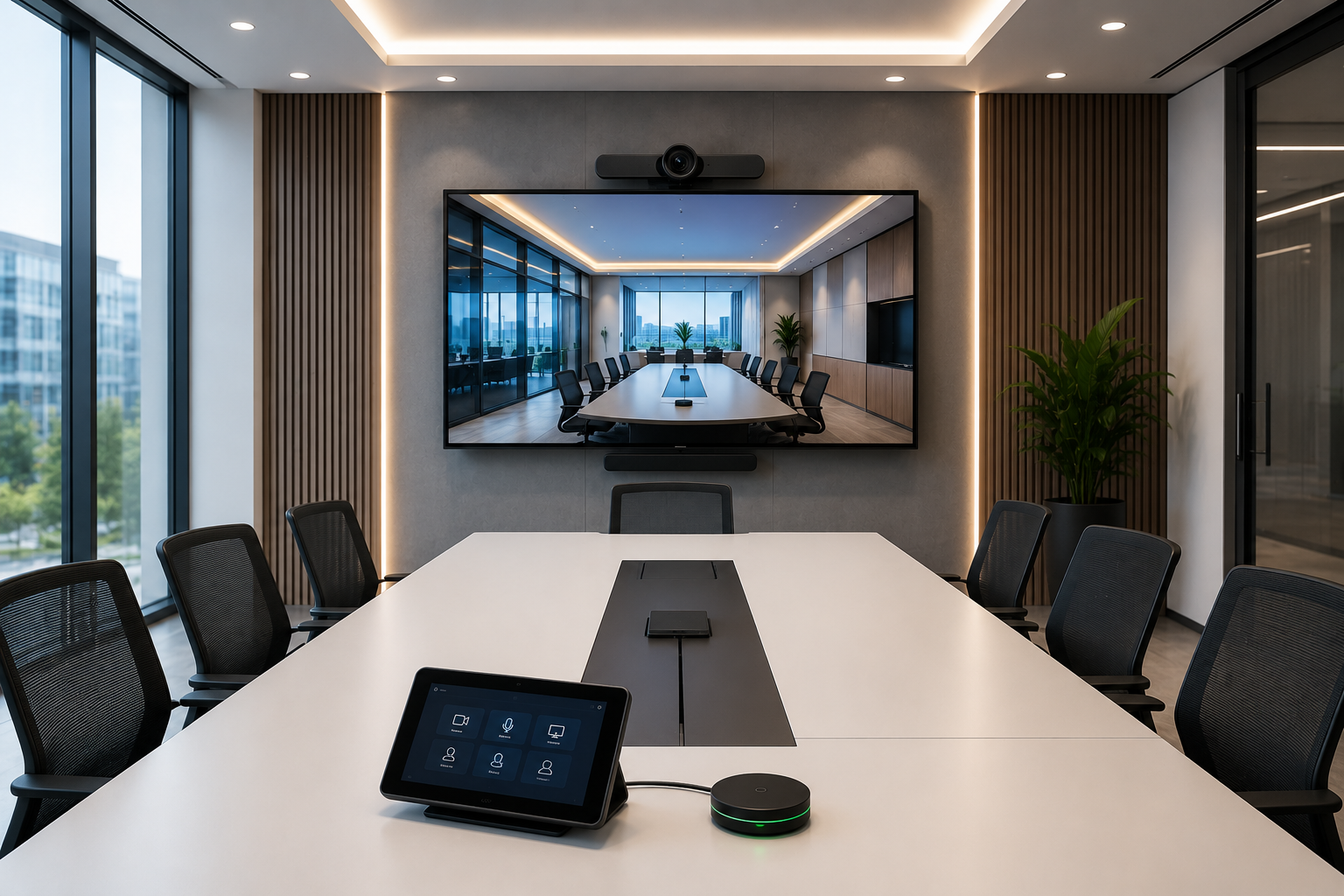
Meeting room automation is the integration of AV equipment, conferencing platforms, room control, displays, cameras, microphones, speakers, lighting, scheduling panels, and network systems into a unified room experience.
The goal is simple: users should be able to walk into a room, start a meeting with one touch, share content easily, and communicate clearly with in-room and remote participants.
Enterprise meeting room automation usually includes:
- One-touch meeting start
- Teams Rooms or Zoom Rooms setup
- Wireless presentation
- Integrated audio and video
- Touch panel-based room control
- Room booking and scheduling panels
- Lighting and scene automation
- Centralized monitoring and support
Core Components of a Smart Meeting Room
Display Systems
LED displays, interactive panels, projectors, and video walls selected based on room size and viewing distance.
Audio Systems
Ceiling speakers, soundbars, DSP processors, table microphones, ceiling microphones, and echo cancellation.
Video Conferencing
Room cameras, PTZ cameras, speaker tracking, Teams Rooms, Zoom Rooms, and hybrid collaboration tools.
Room Control
Touch panels that manage display, source selection, camera, audio, lighting, blinds, and meeting modes.
Scheduling Panels
Calendar-integrated panels outside rooms to show availability, booking status, and occupancy.
Network Infrastructure
Stable LAN, Wi-Fi, VLANs, bandwidth planning, and device connectivity for reliable conferencing.
Meeting Room Automation Architecture
A reliable automated meeting room depends on complete system architecture. The design must connect room booking, AV control, collaboration software, displays, audio, camera systems, and network infrastructure.
Typical Smart Meeting Room Flow
Microsoft 365 / Google Calendar
One-touch room control
Display, camera, audio
Hybrid collaboration
Support and analytics
Meeting Room Automation by Room Type
Huddle Rooms
Small rooms need simple video bars, wireless sharing, easy screen connection, and fast meeting start.
Boardrooms
Executive spaces need premium audio, multiple displays, table microphones, touch panels, and automation scenes.
Training Rooms
Training rooms require strong audio coverage, camera tracking, recording, content sharing, and flexible layouts.
Conference Halls
Large rooms need professional AV design, zoning, projection, microphones, control systems, and centralized support.
Microsoft Teams Rooms vs Zoom Rooms
Many organizations are confused between Microsoft Teams Rooms and Zoom Rooms. The right choice depends on the collaboration platform your company already uses, IT policy, licensing, and user workflow.
Smart Automation Features That Improve Meeting Experience
Start calls, activate display, select audio, and launch video conferencing from one panel.
Displays and projectors turn on based on meeting mode or room occupancy.
Users can share content without cable confusion.
Lighting adjusts for presentation, video calls, training, or discussion modes.
Detect actual room usage and improve booking visibility.
IT teams can monitor device health, room status, and support issues centrally.
Where Meeting Room Automation Creates Value
Corporate Offices
Boardrooms, executive rooms, huddle spaces, training rooms, and leadership meeting areas.
Hotels & Hospitality
Banquet halls, conference rooms, business centers, and premium meeting spaces.
Education
Smart classrooms, lecture halls, training spaces, and hybrid learning environments.
Healthcare
Training rooms, telemedicine spaces, administrative meeting rooms, and collaboration areas.
Common Meeting Room Automation Mistakes
- Choosing devices before understanding room size, acoustics, and user workflow.
- Using poor microphone placement, causing echo or unclear audio.
- Selecting the wrong display size for viewing distance.
- Ignoring network bandwidth and video conferencing requirements.
- Not integrating room scheduling with Microsoft 365 or Google Calendar.
- Deploying different room experiences across the same office.
- Not planning AMC, support, remote monitoring, and user training.
Example Enterprise Deployment Scenario
A corporate office with 8 meeting rooms, 2 boardrooms, and 1 training room may face repeated delays because each room uses different screens, cables, remotes, microphones, and video conferencing devices.
A properly designed meeting room automation system can standardize the experience across all rooms through:
- Room booking panels
- One-touch Teams or Zoom meeting start
- Standardized displays and cameras
- Wireless presentation
- Integrated audio systems
- Touch panel-based controls
- Centralized monitoring by IT support
This reduces meeting delays, improves hybrid collaboration, simplifies support, and creates a consistent executive meeting experience.
Frequently Asked Questions
What is meeting room automation?
Meeting room automation integrates AV systems, displays, cameras, microphones, lighting, scheduling, and video conferencing tools into a simplified room experience.
Which rooms need automation?
Boardrooms, conference rooms, huddle rooms, training rooms, smart classrooms, hotel meeting rooms, and hybrid workspaces can benefit from automation.
Can meeting rooms be integrated with Microsoft Teams or Zoom?
Yes. Meeting rooms can be designed around Microsoft Teams Rooms, Zoom Rooms, or other collaboration platforms depending on the organization’s workflow.
Why is system integration important in meeting room automation?
Because displays, audio, cameras, control systems, room booking, network infrastructure, and conferencing software must work together reliably.
How Innova Systems Helps
Innova Systems designs and integrates meeting room automation solutions for smart offices, boardrooms, training rooms, conference spaces, hotels, educational institutions, and enterprise environments.
Our team aligns AV systems, collaboration platforms, network infrastructure, touch panels, automation controls, and support workflows into one reliable room experience.
Related Innova Systems Resources
Planning Meeting Room Automation for Your Office?
Tell us your room count, room sizes, collaboration platform, AV needs, and automation requirements. Innova Systems can help you design a reliable smart meeting room ecosystem.

 By
By